
Appearance
Payroll and payslips
The payroll module runs payroll per company. A country pack holds the statutory rules (country-lk for Sri Lanka, country-ca for Canada). Every amount is encrypted, every calculated line keeps a trace of how it was worked out, and locked history is never changed.
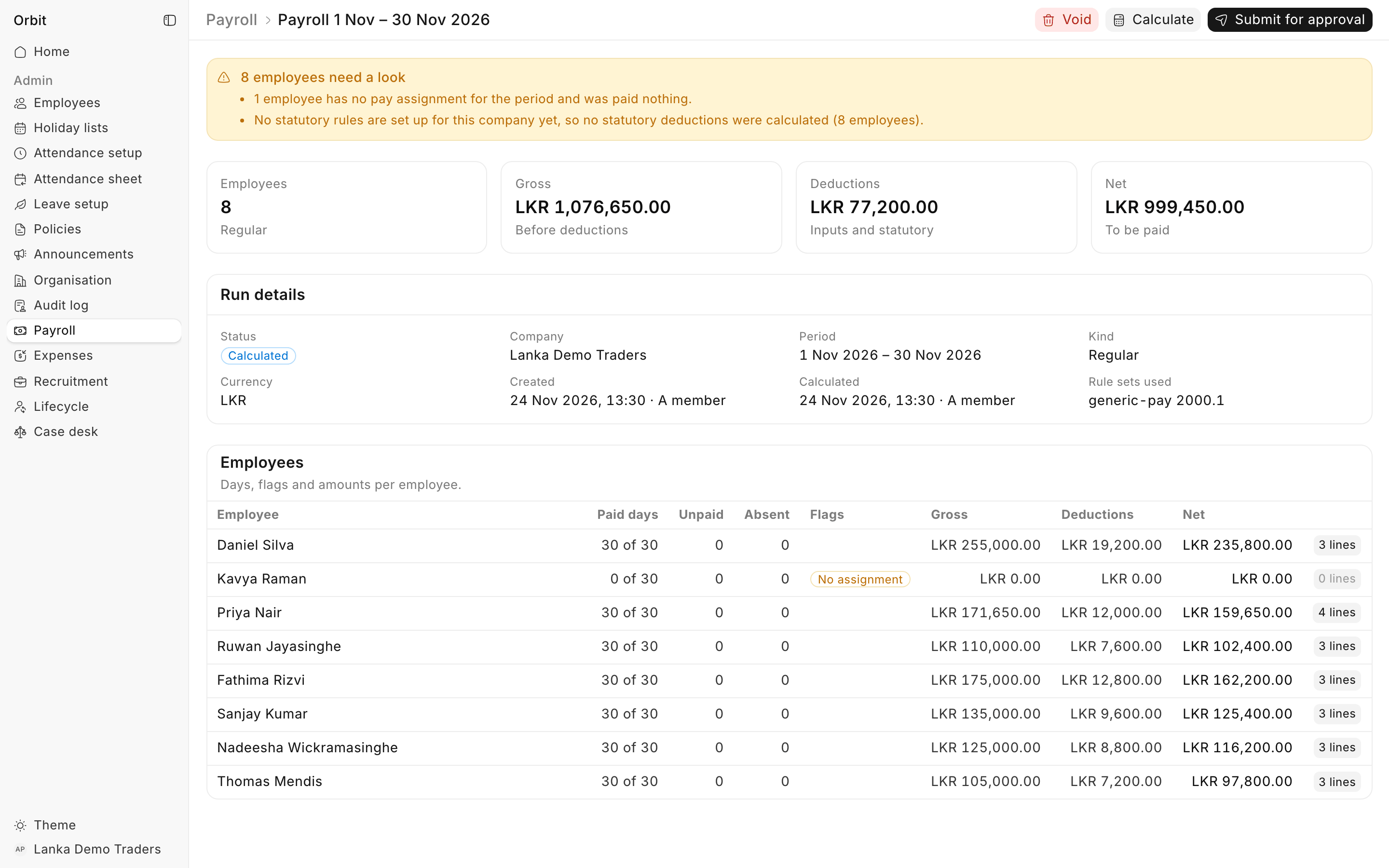
Statutory rules are not reviewed yet
Both country packs refuse to calculate (statutory_rules_unreviewed) until a payroll accountant has reviewed and locked their rule sets. Until then, a company set to a pack can't calculate a run. Without a pack, a run calculates your fixed components only.
Who can do what
Payroll needs duties, given by an owner on the Duties tab. The admin role alone is not enough.
| Duty | Does |
|---|---|
| Owner | everything; gives and revokes duties (never to themselves) |
| Preparer | creates and calculates runs, adds one-off inputs, submits for approval |
| Approver | approves or rejects submitted runs |
| Payroll admin | setup, tax inputs, approves and locks runs, bank and statutory files |
| Accountant | signs off a parallel run against the old payroll |
| Admin without a duty | run status and counts, never amounts |
| Manager | nothing in payroll |
Four eyes
Whoever prepared a run (calculated it, changed an input, created an assignment or tax input it reads) can't approve or lock it, and nobody sets their own pay. A company with a single owner or admin can turn on self-approval; each self-approved run is marked.
Read your payslip
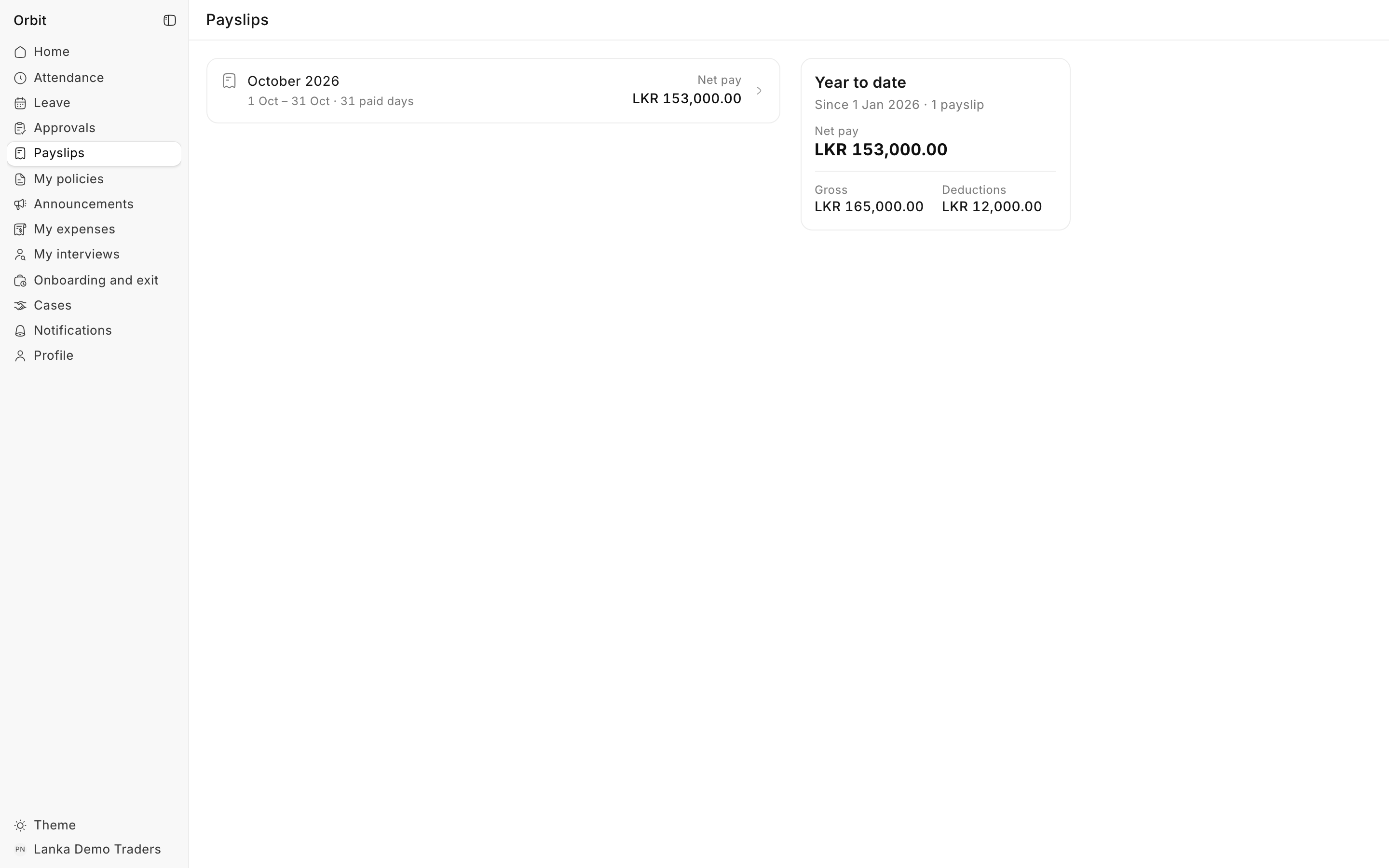
- Self-service > Payslips lists your payslips from locked runs.
- Open one: earnings, deductions, net pay and the year to date.
- Explain on a line shows how it was worked out, from the stored trace.
TIP
There is no PDF download in the web app yet. Print the payslip, or save it as PDF from the print dialog.
Set up payroll
Admin > Payroll, in this order:
- Settings per company: pay day, pro-rating, the company's bank account, the country pack, the currency (default
LKR) and whether absent days are deducted. Only calendar-day pro-rating is calculated today. - Components: earnings, deductions, employer contributions and statistical items, with the flags a pack reads (EPF-qualifying, the APIT class).
- Structures: versioned lists of components, each a fixed amount or a pack rule. Make a new version instead of editing one.
- Assignments: an employee's structure and amounts from a date.
- Tax inputs per employee and tax year: earlier employment, manual tax, the pack's own inputs and a tax identifier.
- Duties: see above.
Run payroll
A run moves Draft → Calculated → Approved → Locked.
- Runs > New run for a company and period (regular, or off-cycle for one-off amounts).
- Add one-off inputs such as a bonus, if needed.
- Calculate, then review each employee's days, lines and flags (no assignment, negative net, a missing statutory line, an arrear suggested).
- Submit for approval. Approvers who did not prepare it get it in their Approvals.
- Someone else approves it (or rejects it back to draft).
- Lock. This publishes payslips, updates the year to date and generates the bank and statutory files.
- Mark paid once salaries are paid.
A draft or calculated run can be voided: kept for the record, never calculated again.
CLI and API only, for now
These work and are audited, but have no screen yet (orbit payroll ...):
- correction runs, paid as arrears in the next run,
- final settlements for a leaver,
- bank and statutory file downloads, and payslip PDF links,
- parallel runs against the old payroll, with the accountant's sign-off,
- country pack settings (employer registration numbers).
Other doors
Agents over MCP read runs, setup and their own payslips with every amount redacted, and can create, calculate and submit runs. Approving, rejecting, locking, marking paid, voiding and setup changes are sensitive, and four eyes still applies.