
Appearance
Expenses
The expenses module: claim back what you spent for work, with receipts, approved by your manager or finance and paid out directly. Reimbursement through a payroll run is not built yet.
Who can do what
| Task | Employee | Manager | HR admin | Finance (duty) | Owner |
|---|---|---|---|---|---|
| Create, submit and cancel own claims | yes | yes | yes | yes | yes |
| Approve, reject or return a claim sent to them | yes | yes | yes | ||
| Read line descriptions | own | redacted | redacted | yes | yes |
| See receipts | own | when named | never | yes | yes |
| See restricted-category claims | own | never | never | yes | yes |
| Record payouts | yes | yes | |||
| Categories, limits and settings | read | read | read | yes | yes |
| Give the finance duty | yes |
Make a claim
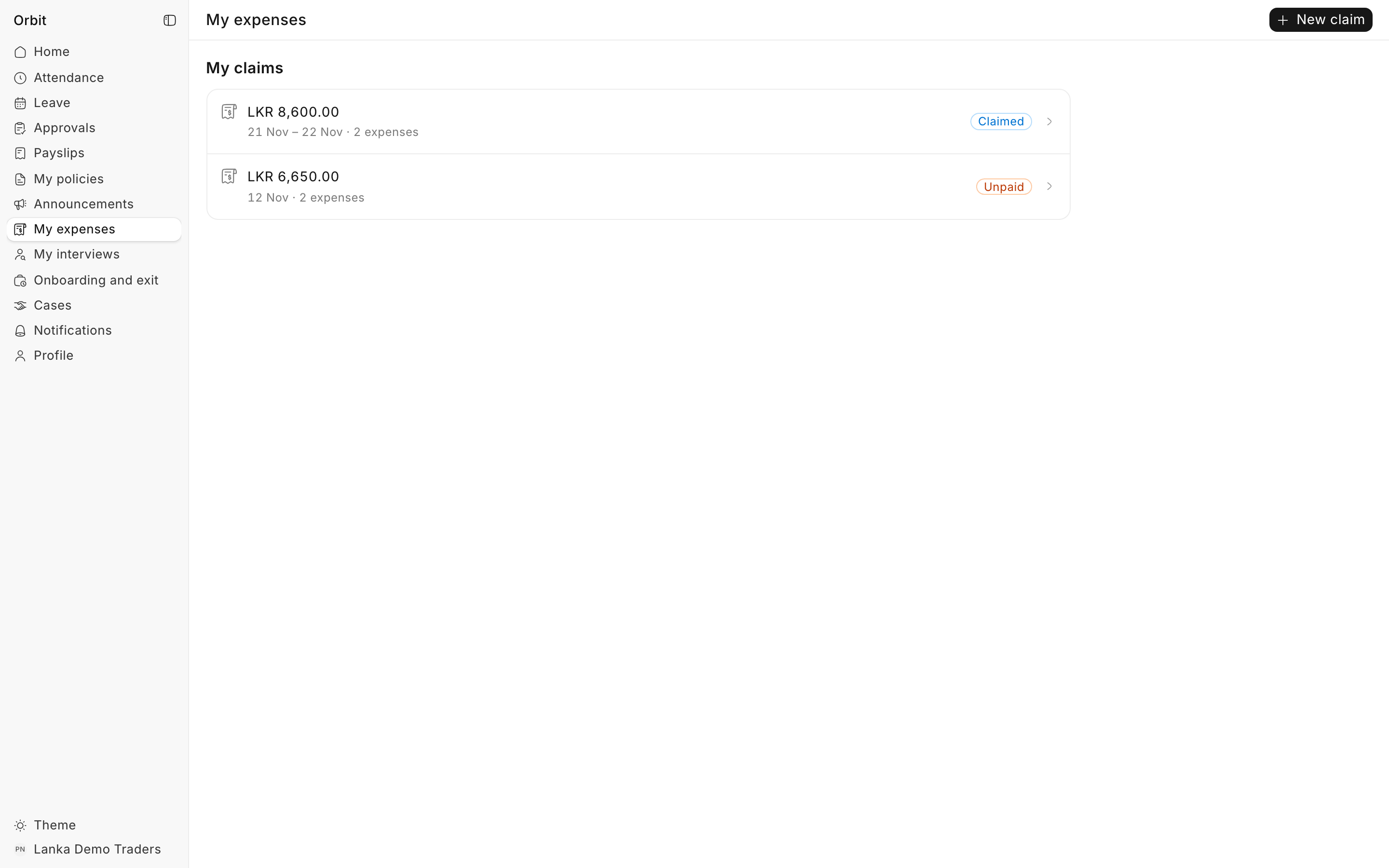
- Self-service > My expenses > New claim.
- Add expense for each item: date, category, amount and a description.
- Attach a receipt (PDF, PNG, JPEG or WEBP, up to 5 MB) where the category or amount needs one.
- Save draft to finish later, or Submit for approval.
You can cancel a claim until it is decided. A returned claim comes back to you to fix and submit again.
Orbit checks each line
- The date is not in the future, not before you joined, and at most 60 days old (the company's submission window).
- The category's per-claim and monthly limits.
- A receipt above the company's threshold, or always for some categories.
Descriptions are private
Only you, finance and owners read them, because they can carry health details. Your approver sees them redacted.
Approve a claim
Claims go to your manager, or to finance when a line is in a restricted category or there is no manager (to the owners when nobody holds finance). Nobody approves their own.
- Open the claim from Self-service > Approvals, or Admin > Expenses > Claims.
- Review the lines and receipts. Lower a line's amount to approve less than claimed.
- Approve, Reject (final) or Return it to the claimant.
Pay approved claims (finance)
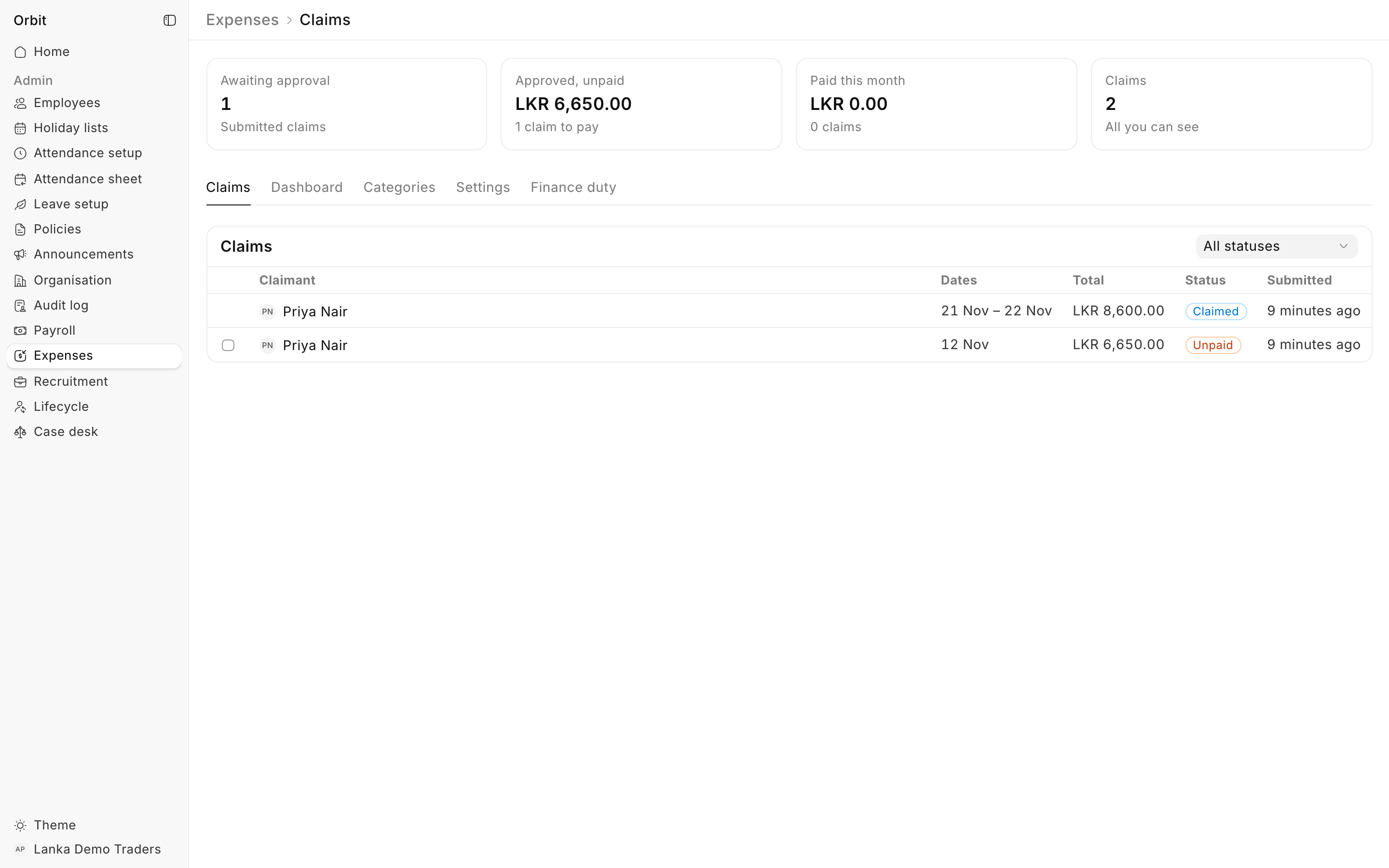
- Admin > Expenses > Claims, filter to approved claims.
- Select claims in one currency and choose Record payout.
- Add the transfer reference if you have one. Each claim becomes Paid.
Set up expenses
Admin > Expenses (owners and finance):
| Tab | What |
|---|---|
| Dashboard | awaiting approval, approved and unpaid, paid this month |
| Categories | name, code, per-claim and monthly limits, receipt always, restricted |
| Settings | per company: currency, submission window (60 days), receipt threshold, days a leaver may still claim (30) |
| Finance duty | who holds finance (owners give it, never to themselves) |
Reimburse through payroll
Instead of a direct payout, approved claims can be paid in the payroll run.
- Admin > Expenses > Settings: turn on Reimburse through payroll for the company.
- Calculating a run adds each employee's approved, unpaid claims (in the company currency) as one line, Expense reimbursement.
- Locking the run marks those claims Paid.
Tax treatment
By default reimbursements are outside APIT and EPF/ETF. A category marked Taxable when paid through payroll is paid as taxable pay (never EPF/ETF). Both defaults await your payroll accountant.
While it is on, finance can't record a direct payout for those claims.
Other doors
Payouts are never an MCP tool. Over MCP, descriptions and receipts are not available.