
Appearance
Leave
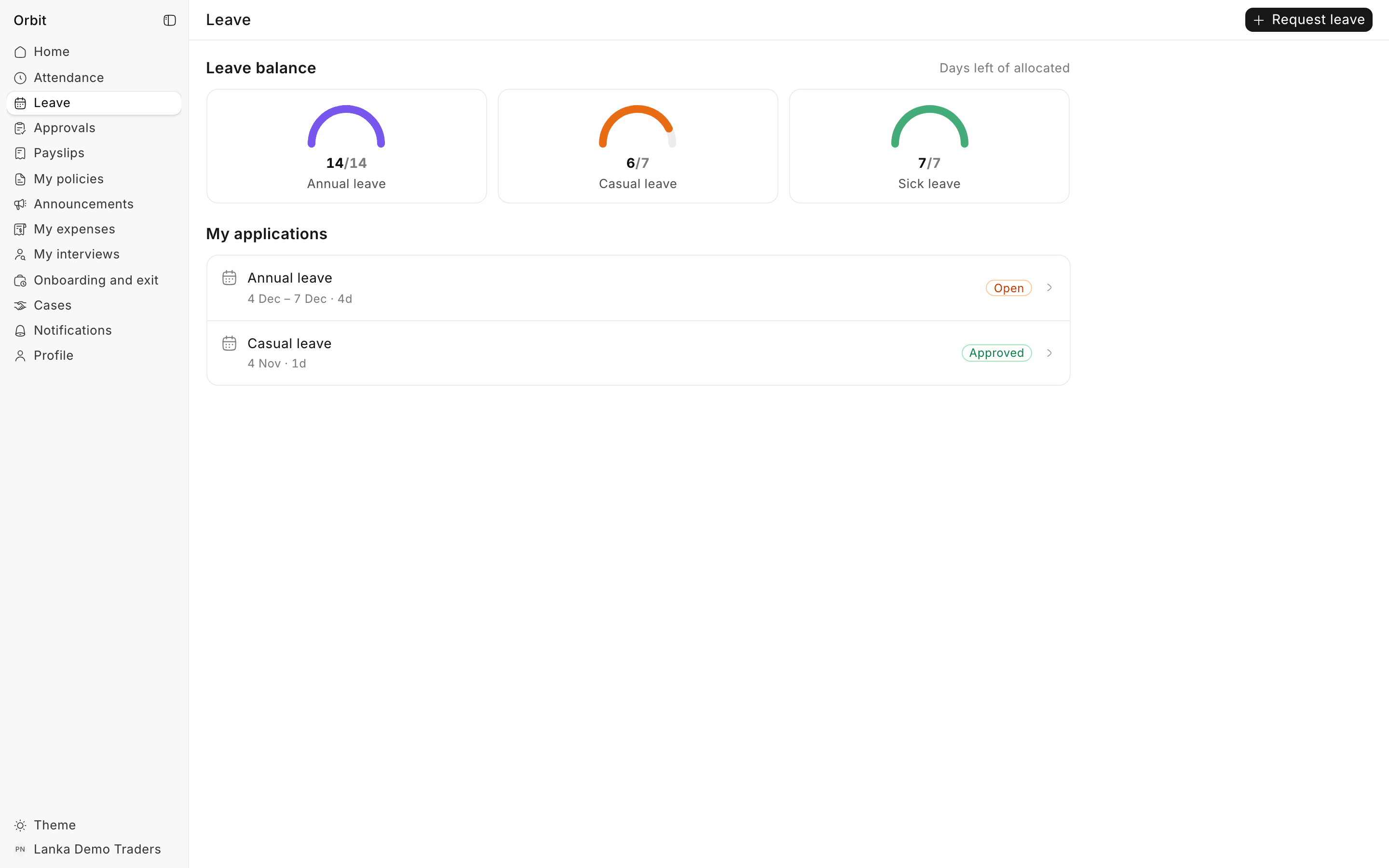
The leave module: leave types, leave years, policies that allocate days, requests approved through the inbox, and a ledger that every balance comes from. Days count in halves (1.5), never hours.
Who can do what
| Task | Employee | Approver | Admin |
|---|---|---|---|
| Request and cancel own leave (while waiting) | yes | yes | yes |
| Approve or reject a request sent to them | yes | ||
| Cancel approved leave | yes | yes | |
| Read the note on a request | own | no | yes |
| Set up types, periods and policies; adjust the ledger | yes (never their own balance) |
Approvers are chosen when a request is sent: the employee's own leave approver, else their department's approvers, then their manager.
Request leave
- Self-service > Leave > Request leave.
- Pick the type and the dates. A single day can be a half day.
- Check the summary: calendar days, holidays skipped, your balance now and after.
- Add a note for HR if you like, then Send request.
You can cancel a request while it waits. Once approved, only your approver or HR can cancel it, and the days come back.
Orbit refuses a request that
- takes your balance below zero on any later date (waiting requests count as taken),
- falls before your joining date or after your leaving date,
- breaks the type's rules (most days in a row, usable only some days after joining).
Your note is private
Only you and HR admins read it. Approvers see that there is one, not what it says.
Approve leave
- Open Self-service > Approvals.
- Open the request, then Approve or Reject.
If the employee has since moved to another approver, you can still see the request but not decide it.
Set up leave (admins)
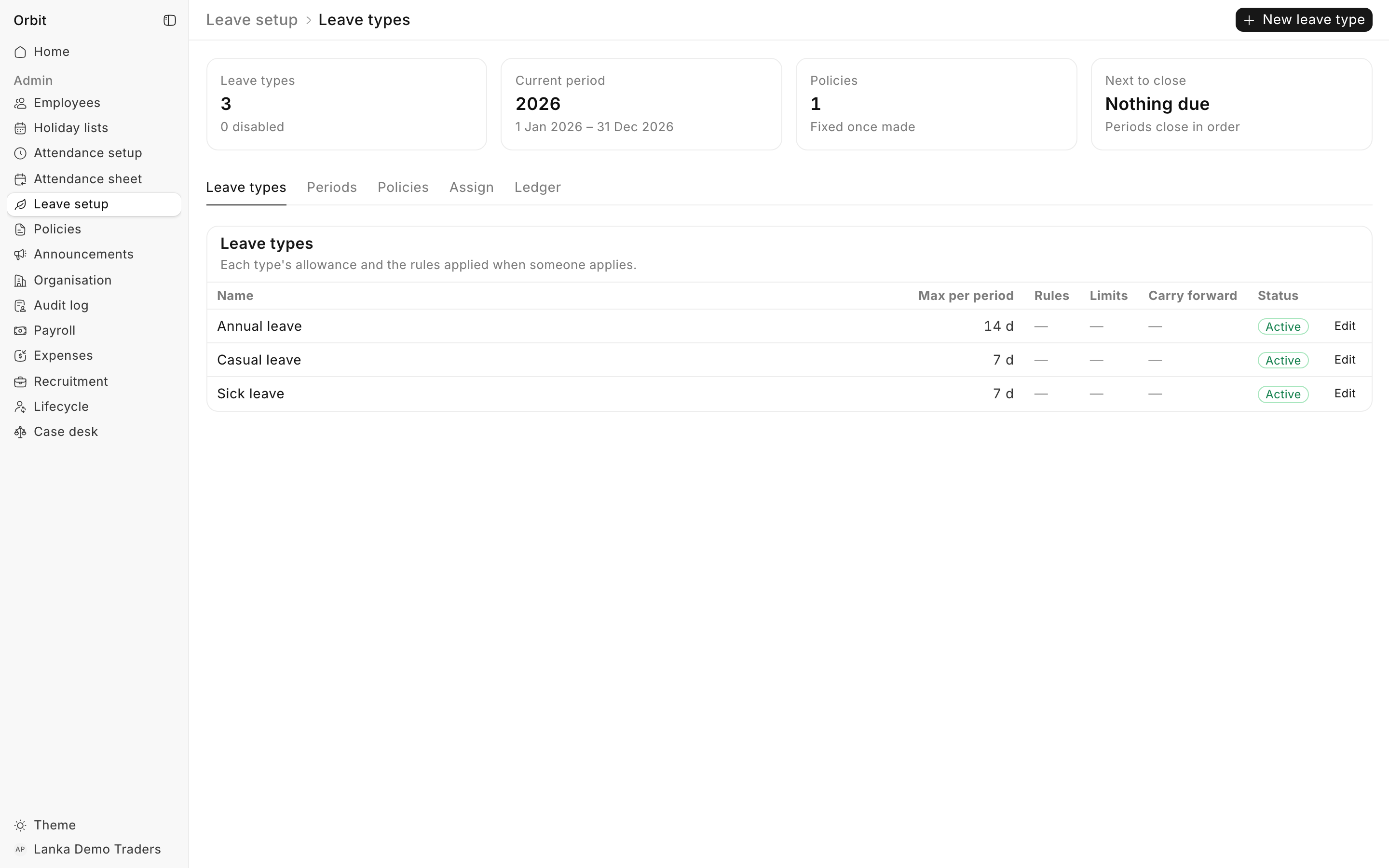
Admin > Leave setup has five tabs. Use them in this order:
- Leave types: the most per period, and rules (unpaid, counts holidays, can go negative, most days in a row, usable after joining, carry forward with a cap and an expiry). Disable a type to stop new requests.
- Periods: the leave years, at most two years each and never overlapping.
- Policies: days per type. A policy is fixed once made; retire it and make a new one.
- Assign: give a policy to employees for a period. Days are pro-rated from the joining date and capped at the type's maximum; a preview shows the result first.
- Ledger: every allocation, request, carry-forward, expiry and adjustment for one employee. Adjust adds a signed correction, such as
-1.5.
Close a period
- On Periods, choose Close period, in order, each into the period right after it.
- Unused days expire the day after the period ends. Types that carry forward credit up to their cap into the next period.
- Expire carried-forward leave runs the expiry for a date up to today.
No schedule yet
An admin runs closing and expiry by hand.
When someone leaves
- Their waiting requests are cancelled.
- Approved leave after the leaving date is cancelled and the days are given back.
- Approved leave that spans the leaving date stays and is flagged for HR to shorten.
Other doors
Agents over MCP read leave types, periods, balances and applications, apply for the person's own leave, and approve or reject. Approving and rejecting are sensitive: they run only after the person approves that exact call (Agents). Setup and the ledger are web or CLI only (orbit leave ...).