
Appearance
Attendance
The attendance module: shifts, check-ins, daily attendance worked out automatically, correction requests and the monthly sheet.
Who can do what
| Task | Employee | Manager | Admin |
|---|---|---|---|
| Check in and out, see own month | yes | yes | yes |
| Request a correction | yes | yes | yes |
| Decide a report's correction | yes | yes (when there is no manager) | |
| See who is in today, and reports' upcoming leave | yes (My team) | ||
| Shifts, assignments, company defaults, monthly sheet | yes |
Check in and out
- On Self-service > Home, press Check in (or Check out) on the check-in card.
- Confirm. If your browser shares your location it is stored with the check-in, encrypted; if not, you can still check in.
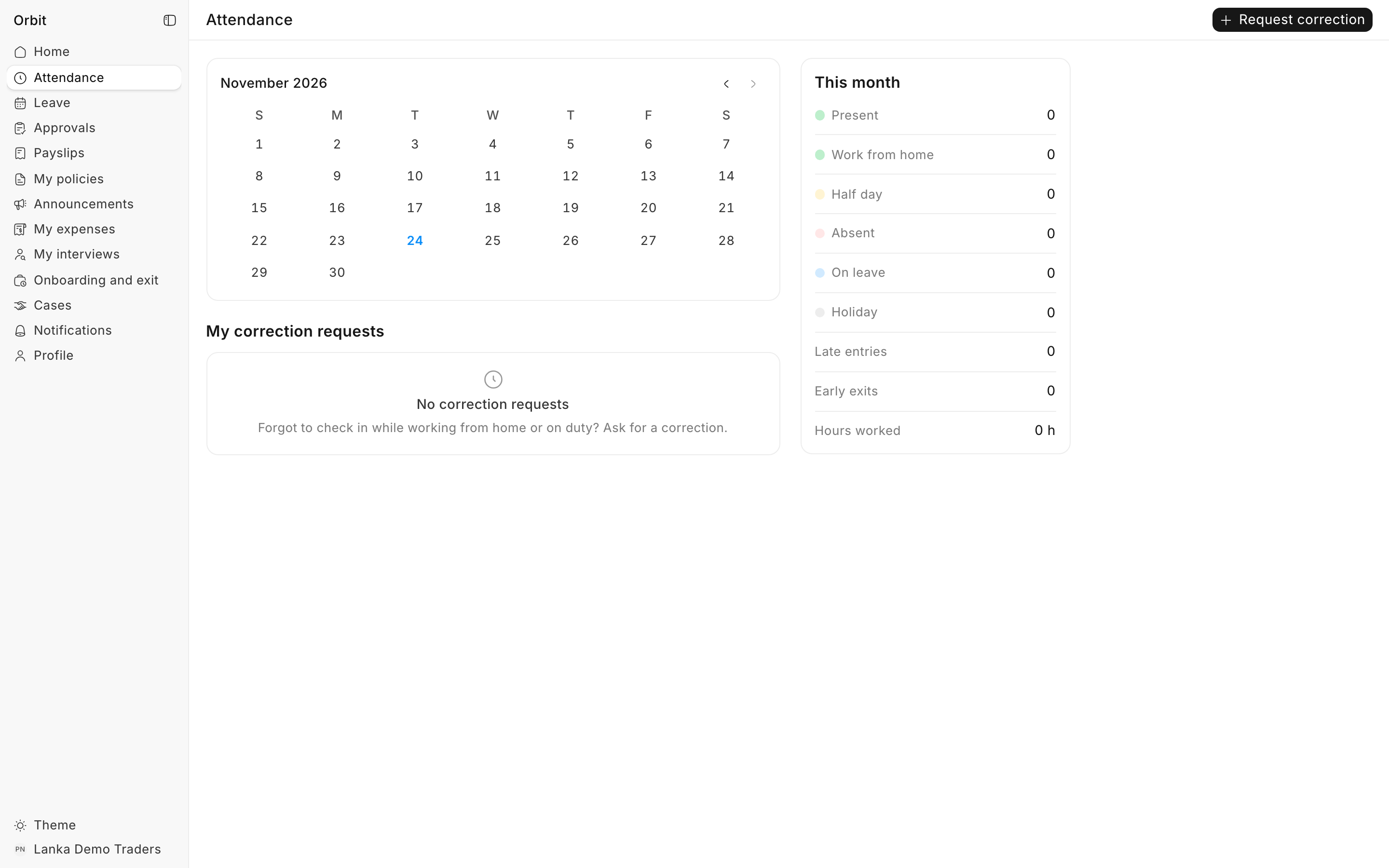
Self-service > Attendance shows each day of the month: status, working hours, late entry and early exit, and the day's check-ins.
Orbit refuses
A check-out with no check-in in the last 20 hours, two check-ins or check-outs in a row, a check-in within a minute of the last one, and check-ins outside your employment dates.
Ask for a correction
- Self-service > Attendance > Request correction.
- Pick the dates and choose Work from home or On duty.
- Explain what happened and send it. Your manager decides it in their approvals; without a manager, an admin does.
You can cancel a request while it waits. You never decide your own.
How a day is worked out
Every hour Orbit works out the last seven days for everyone, from the shift in force:
- With check-ins: present, half day or absent by the shift's thresholds, with late entry and early exit after the grace minutes. A half holiday halves the thresholds.
- Approved leave wins over check-ins (a half-day leave keeps the worked half), except on a full holiday.
- An approved correction counts its dates as work from home or on duty.
- No check-in at all: absent only once the shift has ended plus the "absent after" days, and never on a holiday, on leave or after the leaving date.
A changed day becomes a new version; the old one is kept.
Set up attendance (admins)
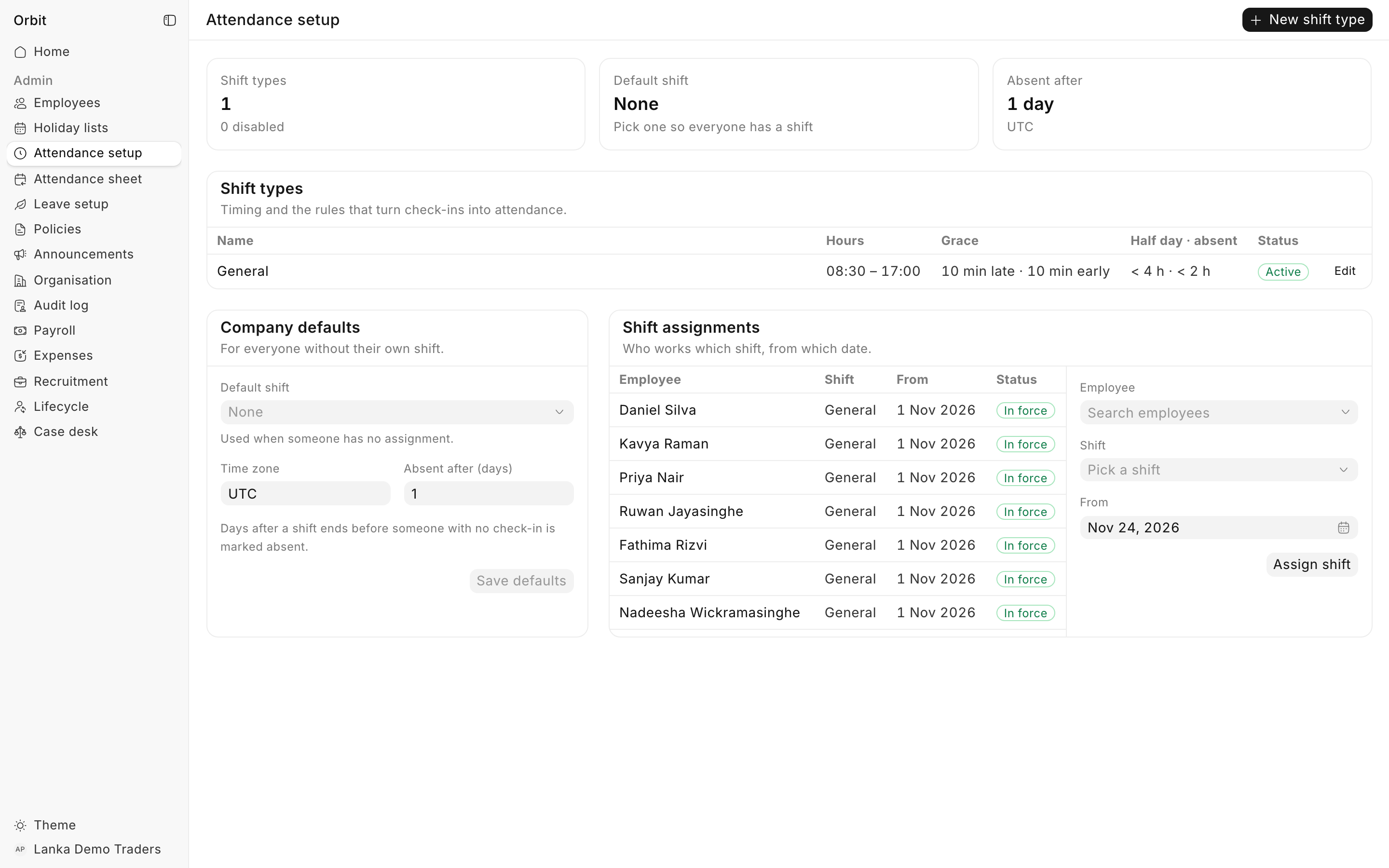
Admin > Attendance setup:
- Shift types: start and end (an end before the start ends the next day), grace minutes, half-day and absent thresholds in hours, check-in and check-out windows, and how working hours are counted.
- Company defaults: the default shift, and how many days after a shift someone with no check-in is marked absent (0 to 30).
- Shift assignments: who works which shift from which date.
Admin > Attendance sheet shows a month for everyone or one department, with totals, and Download CSV (employee ids and status codes only; each download is recorded). A sheet shows at most 2,000 people; filter by department for the rest.
TIP
Recomputing a range by hand (up to 62 days) and repairing data after a fault are CLI or GraphQL only.
Other doors
Agents over MCP read settings, shift types, a month and correction requests, and approve or reject requests (sensitive). Check-ins are never an MCP tool, because they carry the location. Geofencing is not built.