
Appearance
People and organisation
The core module holds your company, its structure, employees, holiday lists and employee documents. It is the first module an organisation uses: leave, attendance and payroll build on it.
Who can do what
| Task | Member | Manager | Admin | Owner |
|---|---|---|---|---|
| See own profile and personal details | yes | yes | yes | yes |
| See direct reports' work details | yes | yes | yes | |
| Create and edit employees | yes | yes | ||
| Read personal details (recorded each time) | yes | yes | ||
| Organisation settings and holiday lists | yes | yes | ||
| Change own status, leaving date or sign-in link | no | no |
Set up the organisation
Admin > Organisation has one section per kind of record.
- Company: name, time zone (such as
Asia/Colombo) and currency (such asLKR). Create it first. "Today" for leave, attendance and payroll is the date in this time zone. - Departments: teams, with an optional parent and up to 20 leave approvers.
- Designations, branches and employment types: lists to pick from on an employee. Disable one instead of deleting it.
- Provisioning (owners): SCIM tokens, see Provisioning.
Add an employee
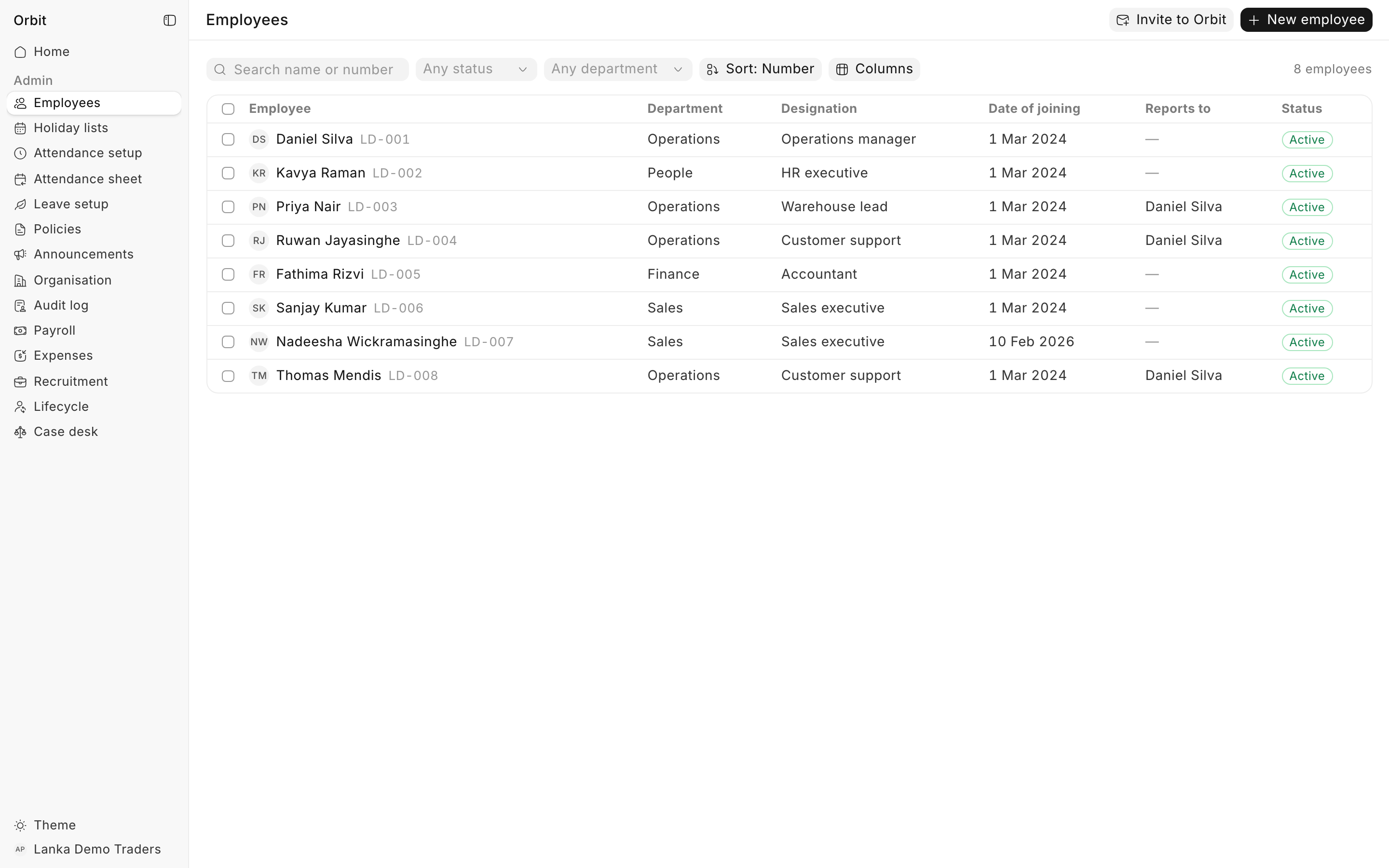
- Admin > Employees > New employee.
- Fill in the work details: number, name, company, department, designation, branch, employment type, joining date, who they report to, and an optional leave approver.
- Optionally add personal details: date of birth, national ID, personal email, phone, address, bank and bank account.
- Save, then link the sign-in account so they see their own leave, attendance and payslips.
This is me
The first admin of a new organisation creates their own record with the This is me switch. It works once, while you have no employee record.
Personal details are protected
They are encrypted, shown on their own page to HR admins only, and every read is recorded. A Sri Lankan NIC in the old and the new form is recognised as the same person.
Invite people
- Admin > Employees > Invite to Orbit.
- Enter their email and choose member or admin.
- With email set up they get a link. Without it, copy the link and send it yourself; your operator then gives them a set-password link.
- Once they have joined, link their employee record to their account.
Change status or mark someone as left
- Status: active, inactive, suspended or left. Inactive and suspended people can't use self-service. Select several people in the list to change their status at once.
- Mark as left takes a leaving date. A date today or earlier ends the record at once; a later date keeps them working through their notice.
WARNING
Leaving can't be undone. Their open leave requests are cancelled and future approved leave is given back (Leave).
Holiday lists
- Admin > Holiday lists > New list, covering up to two years.
- Add holidays one by one (full or half day), or generate weekly offs for chosen weekdays.
- Assign the list to the whole company or to one employee, from a date.
Changing dates before today on an assigned list asks you to confirm, because it rewrites the past for leave and attendance.
Your profile
Self-service > Profile shows your work details and, while you are active, your own personal details. "No employee record yet" means HR still has to link your account.
Employee documents
HR admins can attach contracts and letters (PDF, PNG, JPEG or WEBP, up to 10 MiB) to an employee, and employees can list and download their own. There is no upload screen yet: documents are added through the API (ADR 0009). A file is deleted after its "retain until" date, or seven years after the employee leaves.
Audit log
Owners see Audit log in the admin menu: every action in the organisation, newest first, with who, through which door (web, API, MCP, CLI) and the outcome. Filter by module or action and by outcome. It is read-only. Grievance and disciplinary entries never appear here; case handlers see a case's history on the case itself.
Other doors
HR work is also available as orbit core ... commands. Agents over MCP read the organisation, work fields of the employee list, direct reports, the directory, holidays and the person's own document list, and nothing else in core.