
Appearance
Onboarding and exits
The lifecycle module runs checklists for people joining and leaving: onboarding tasks for HR, the manager and the new starter, and exits from resignation to the last day, with the final settlement and access removal built in.
Who can do what
| Task | Employee | Manager | HR admin | Owner |
|---|---|---|---|---|
| See own onboarding or exit, tick own tasks | yes | yes | yes | yes |
| See reports' onboarding and exit dates | yes | yes | yes | |
| Resign | own | own | own | own |
| File an exit for someone (termination, retirement, contract end) | yes | yes | ||
| Accept, reject or re-date an exit | yes (not one they filed, never their own) | yes (same) | ||
| Read the exit reason and letter | own | never | yes | yes |
| Record and read the exit interview | never | never | yes (never their own) | yes |
| Templates, settings, start onboarding | read templates | yes | yes |
Onboarding a new starter
- Admin > Lifecycle > Joiners lists accepted offers. Create employee, then Start onboarding (or start it for any existing employee).
- The checklist comes from the company's onboarding template: by default link the sign-in account, upload the signed contract, acknowledge policies and a welcome from the manager.
- Each person sees their tasks under Self-service > Onboarding and exit > My tasks and ticks them Done. HR can Skip (with a note) or reassign.
Some tasks tick themselves
Uploading the contract to the employee's documents and signing the policies complete their tasks automatically.
Resigning
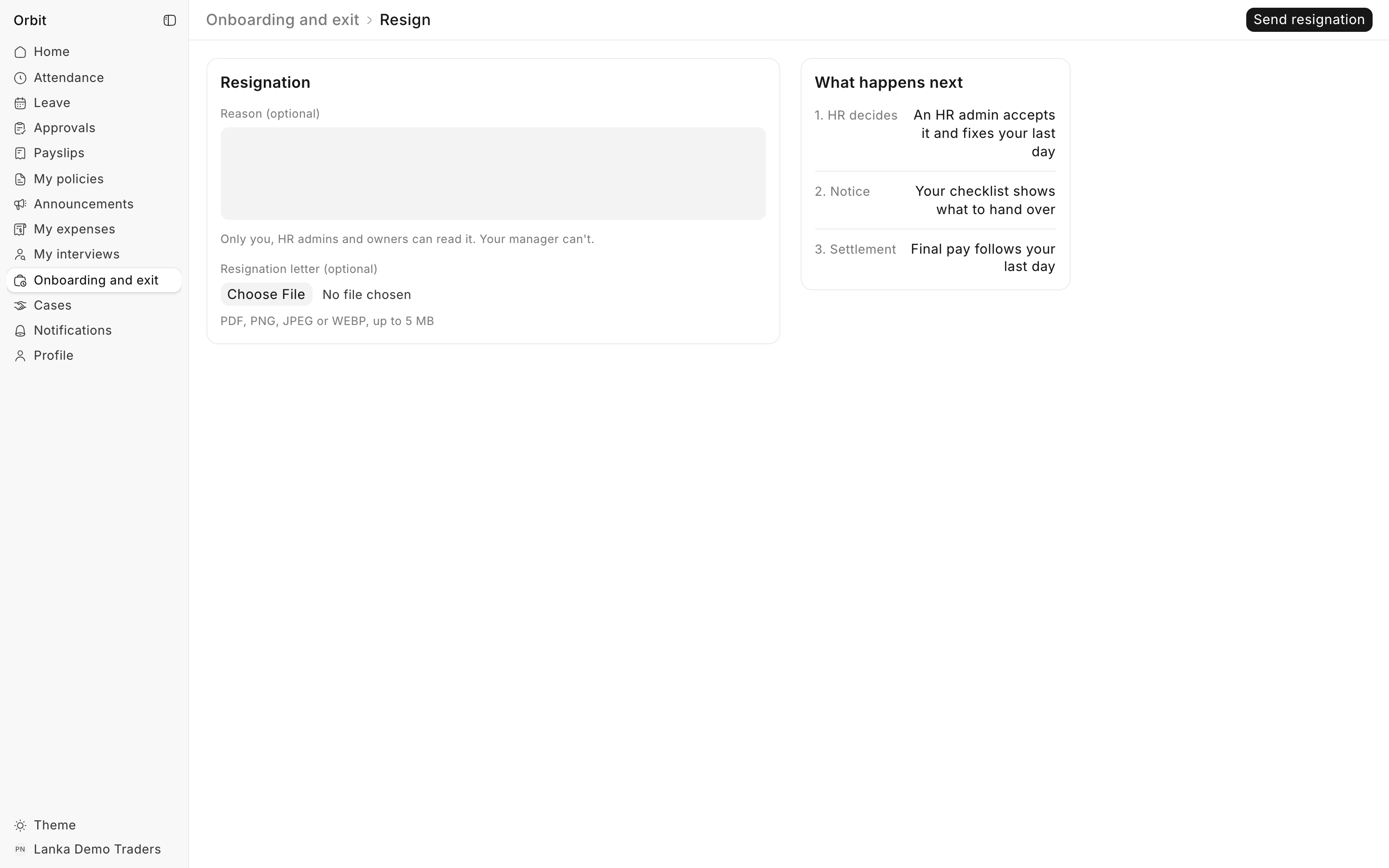
- Self-service > Onboarding and exit > Resign.
- Add a reason and a letter if you like (PDF, PNG, JPEG or WEBP, up to 5 MB).
- Send resignation. HR confirms your last working day.
Your reason is private
Only you, HR admins and owners read it. Your manager sees the dates, not the reason.
You can withdraw your own resignation until it is decided.
Handling an exit (HR)
- Admin > Lifecycle > Exits shows exits to decide. HR can also File an exit.
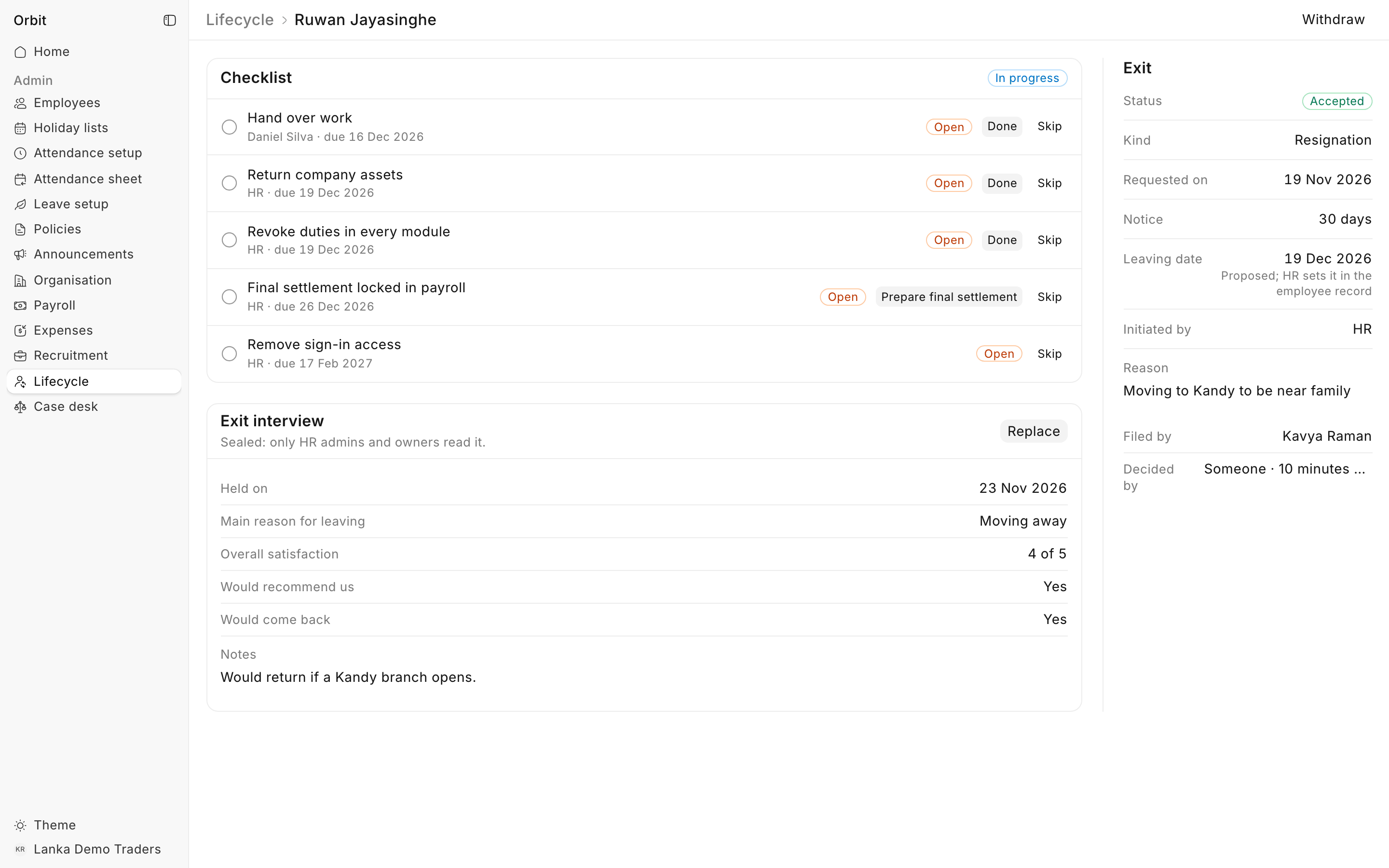
- Open it and Accept (or Reject). Accepting creates the exit checklist. The last day defaults to the notice period (30 days); a shorter one needs a reason.
- Set the leaving date on the employee record: that date is the one in force.
- Record interview for the exit interview. It is sealed: only HR admins and owners read it.
- Work through the checklist. Three tasks are always there and can only be skipped, not ticked: revoke duties, Final settlement locked in payroll and Remove sign-in access. The last two complete when payroll locks the settlement and the person's access is removed.
- Close exit once they have left and every required task is done, noting whether they are eligible for rehire.
Nobody decides their own exit
An HR admin never accepts, rejects or re-dates an exit they filed or their own. Another HR admin or an owner does.
Final settlement
People with payroll access see Prepare final settlement on the settlement task once the leaving date is set. It pays the last salary pro-rated, leave encashment, notice and gratuity in a settlement run; nobody settles their own (Payroll).
Settings
Admin > Lifecycle > Setup: days of access after leaving (60), notice days (30) and the onboarding and exit templates. Changing a template saves a new revision; running checklists keep theirs.
Retention
- Employee documents are deleted a number of years after the leaving date: 7 by default and at least 7 (owners set it in Organisation). A document's own keep-until date still wins.
- Grievance and disciplinary cases are cleared 7 years after they close (Employee relations).