
Appearance
Audit log
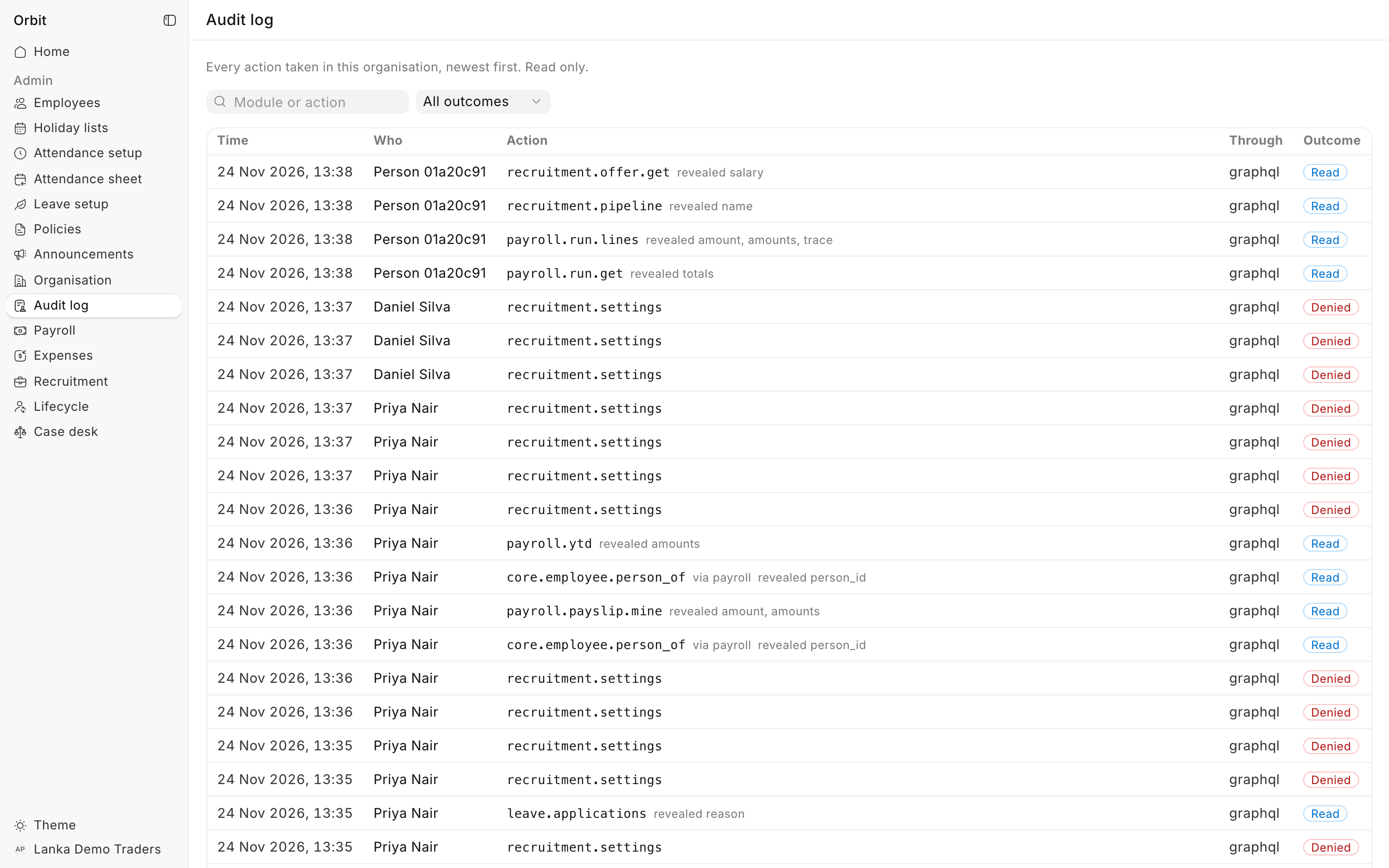
Orbit records every action, through every door. Owners read it on one page.
Who can do what
| Task | Who |
|---|---|
| Open Admin > Audit log | owners only (never over MCP) |
| Change or delete an entry | nobody: it is read-only |
Read the log
- Open Admin > Audit log. Entries are newest first: time, who (a person, the system, an API client or an agent), the action, the door (web, GraphQL, MCP, CLI, system) and the outcome (Done, Denied, Failed, Read).
- Filter by Module or action (for example
leaveorleave.apply) and by outcome. - Load older entries to page back.
What a row tells you
"revealed" lists the personal fields that were shown (names only, never values). "confirmed" marks a sensitive agent call that a person approved.
Cases are not here
Grievance and disciplinary activity never appears in this log, for anyone. Case handlers see each case's own audit trail on the case.