
Appearance
Approvals and notifications
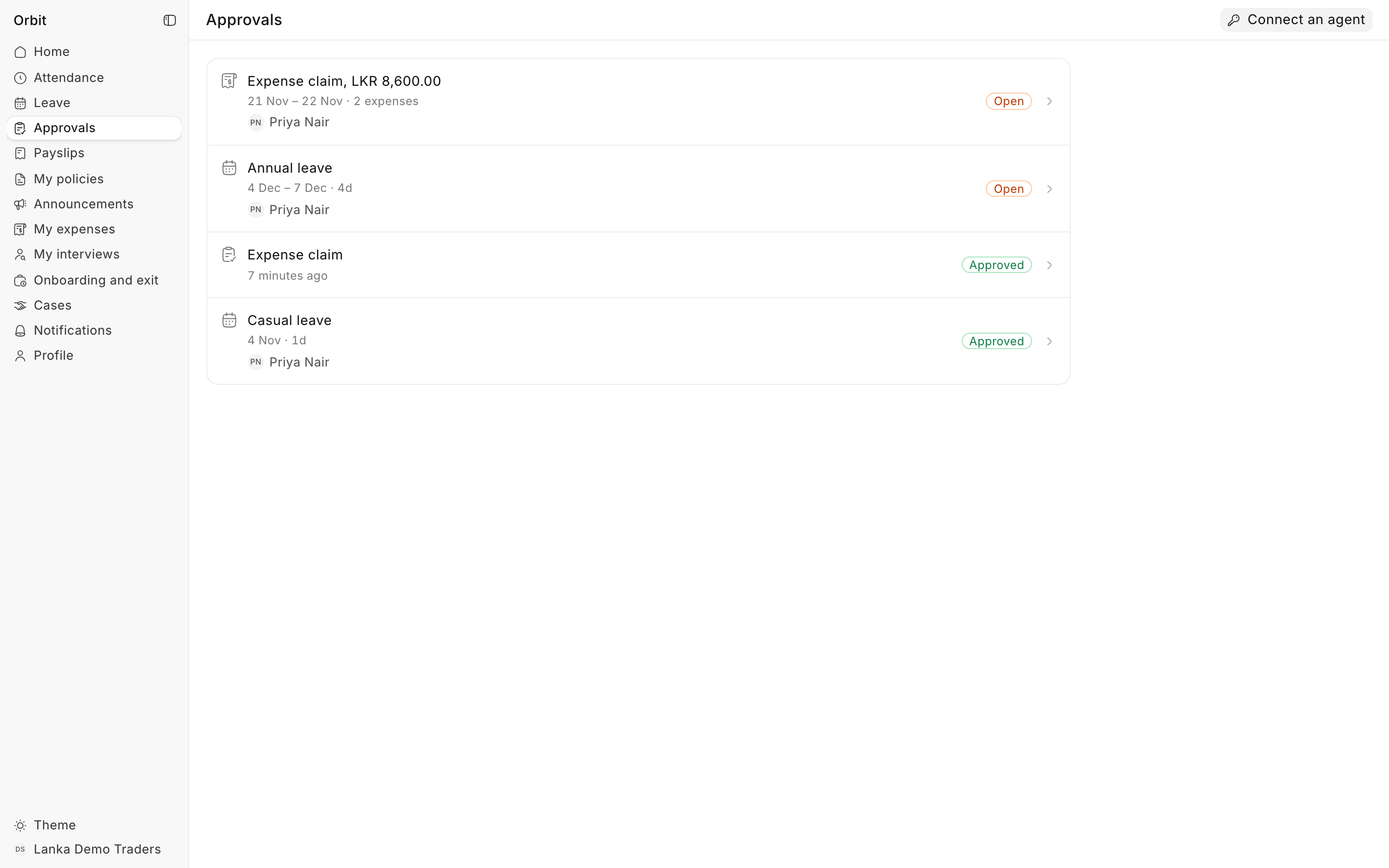
The inbox module collects every request that waits for a decision and every notification, whichever module raised it. The agents module lets an AI agent act for you over MCP, with your approval for anything sensitive.
Who can do what
| Task | Who |
|---|---|
| Decide a request | the approvers it names; an admin when none is left |
| See requests you sent and where they stand | the requester |
| Turn on decision emails | admins (API only) |
| Create agent tokens and approve their sensitive calls | each person, for themselves |
Decide a request
- Open Self-service > Approvals. It lists leave requests, attendance corrections, expense claims, offers, payroll runs and your own agents' requests.
- Open one to see its details.
- Approve or Reject.
The first approver to decide closes it for everyone (a request names at most 50).
The module decides, not the inbox
When you decide, the module the request belongs to checks its rules again: you are still the approver, the employee is still active, the balance still allows it.
Notifications
The bell (phone) or Notifications (desktop) shows what happened, for example a request needs you, or yours was decided. Mark all read clears the unread dot.
Decision emails are off by default. An admin turns them on through the API (inbox.settings.update); requesters then get at most 10 emails an hour. The server must have email set up.
Agents
An agent (an AI assistant or any MCP client) can act for you with an agent token.
- On Approvals, choose Connect an agent, then Create token.
- Copy the token. It is shown once, lasts one hour and works on
/mcponly. - The agent acts as you: only what you can do, in this organisation, recorded as MCP.
- A sensitive call (approving or rejecting, payroll steps, setup changes and more) does nothing at first. A request appears in your Approvals with the exact tool and arguments. Approve it, and the agent repeats the call within 30 minutes; it runs once.
- Revoke all stops every agent token you created.
Limits: 20 undecided agent requests per person, 20 requests an hour per token, 10 tokens an hour per person.
WARNING
National IDs, bank details and pay amounts are redacted over MCP, and check-ins are not a tool. Still, an agent that can read your files or drive your signed-in browser can get around the approval step. Run agents where they can't.